The SQLite GUI that actually understands SQLite
PRAGMA inspector. FTS5 management. JSON tree viewer. Visual query plans. A native macOS app purpose-built for the features other tools ignore.
Download for macOS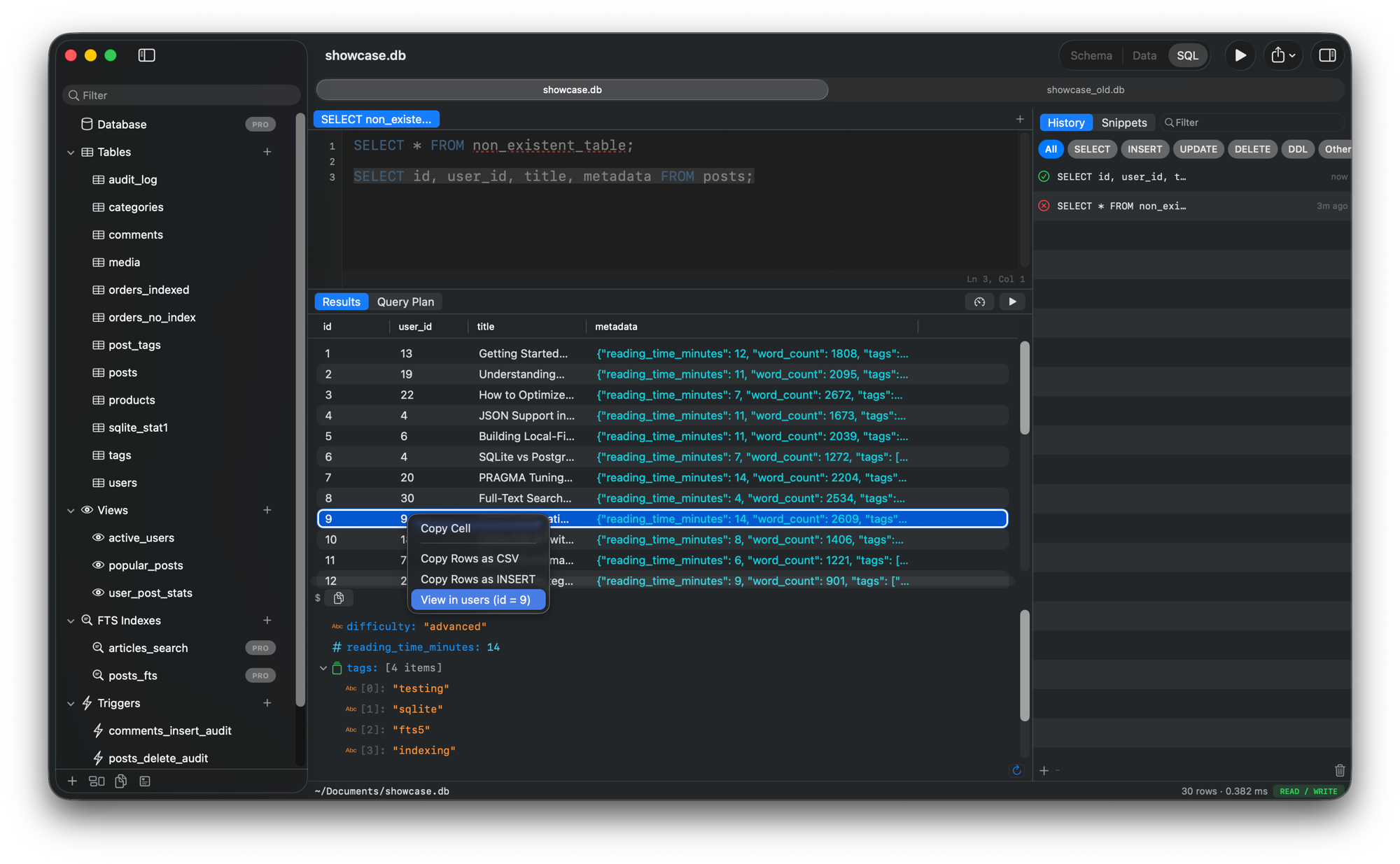
What sets QueryLight apart
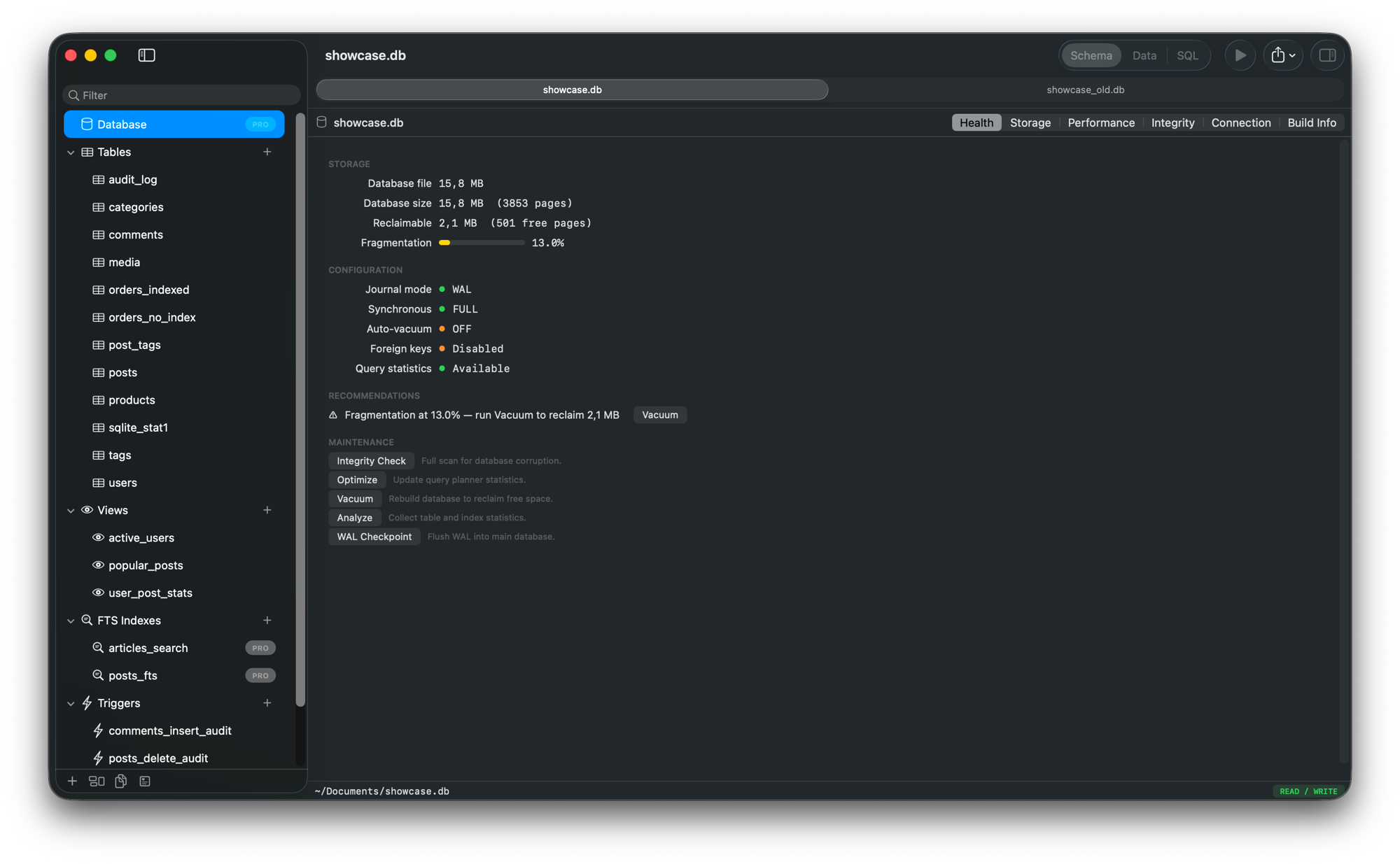
Database health and PRAGMAs, at a glance
Integrity checks, fragmentation analysis, storage breakdown, and one-click maintenance. Tune PRAGMAs visually — WAL mode, cache size, synchronous level. No more memorizing obscure commands.
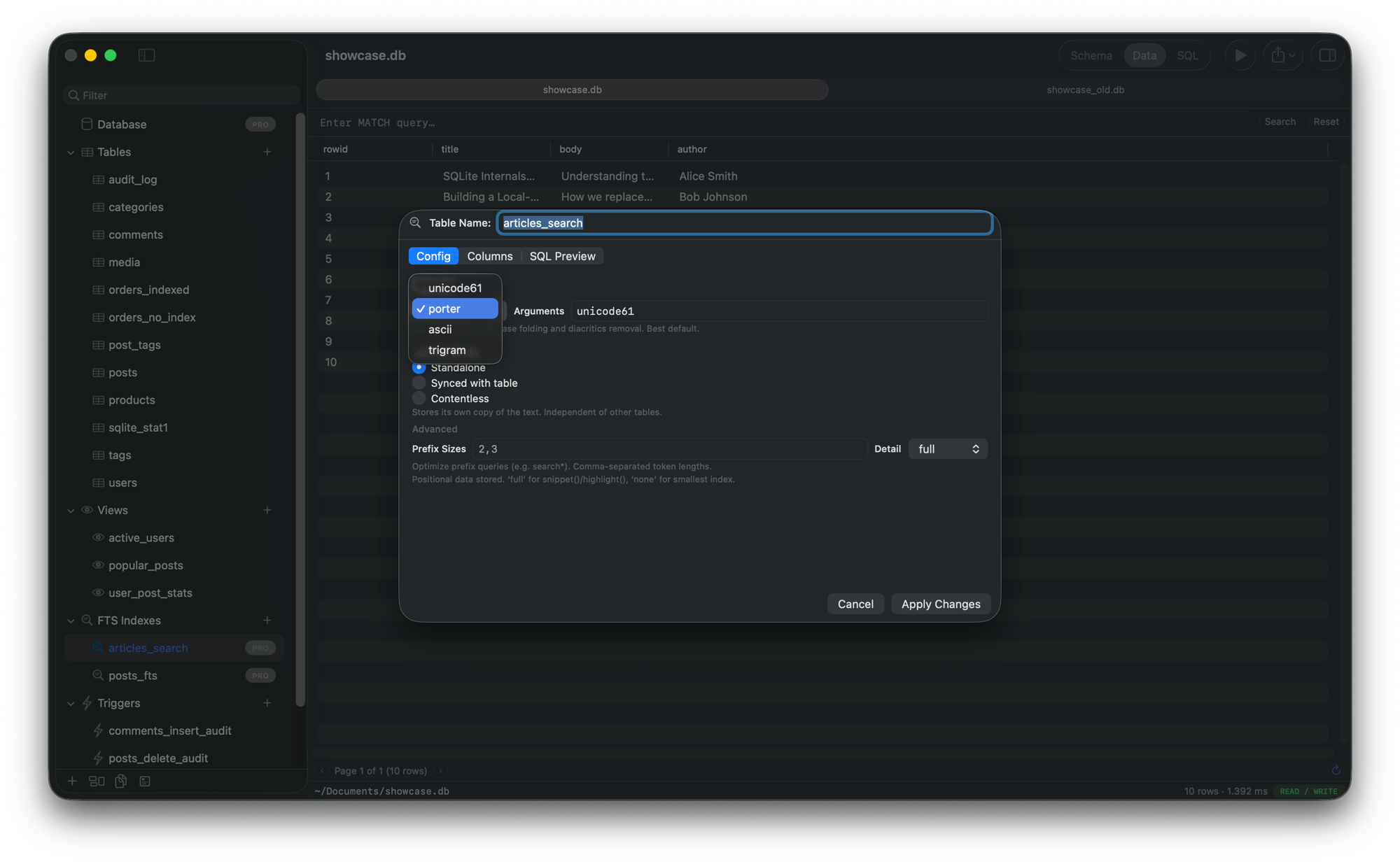
Full-text search, managed visually
Create FTS5 indexes, configure tokenizers, test queries with match highlighting. Finally treat full-text search as a first-class feature.
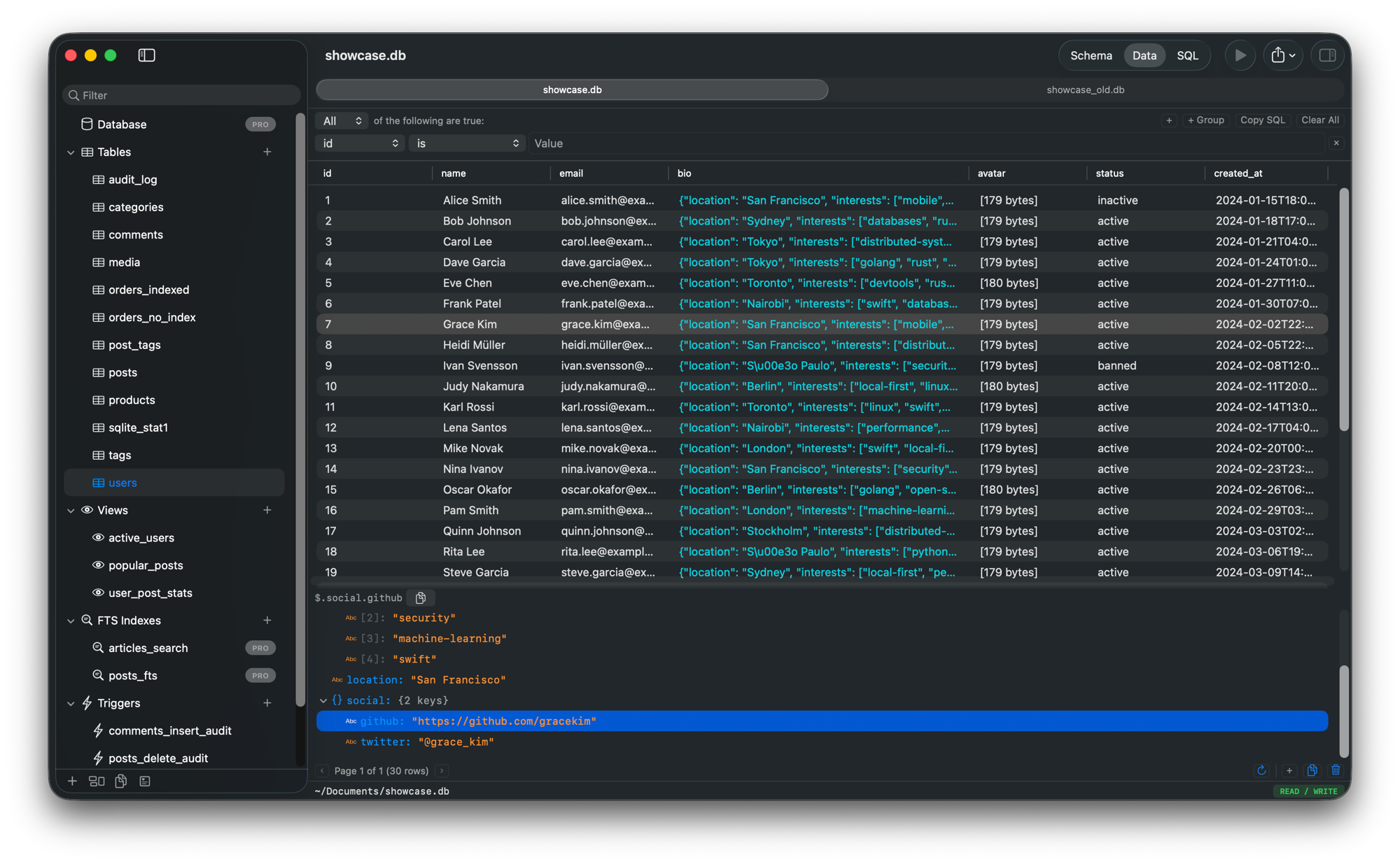
JSON columns as structured data
Expand JSON columns into navigable trees. Query nested fields visually. Stop squinting at raw JSON strings in table cells.
See how SQLite executes your query
EXPLAIN QUERY PLAN visualized as interactive cards. Spot full table scans, understand join order, and see bytecode detail for every step.
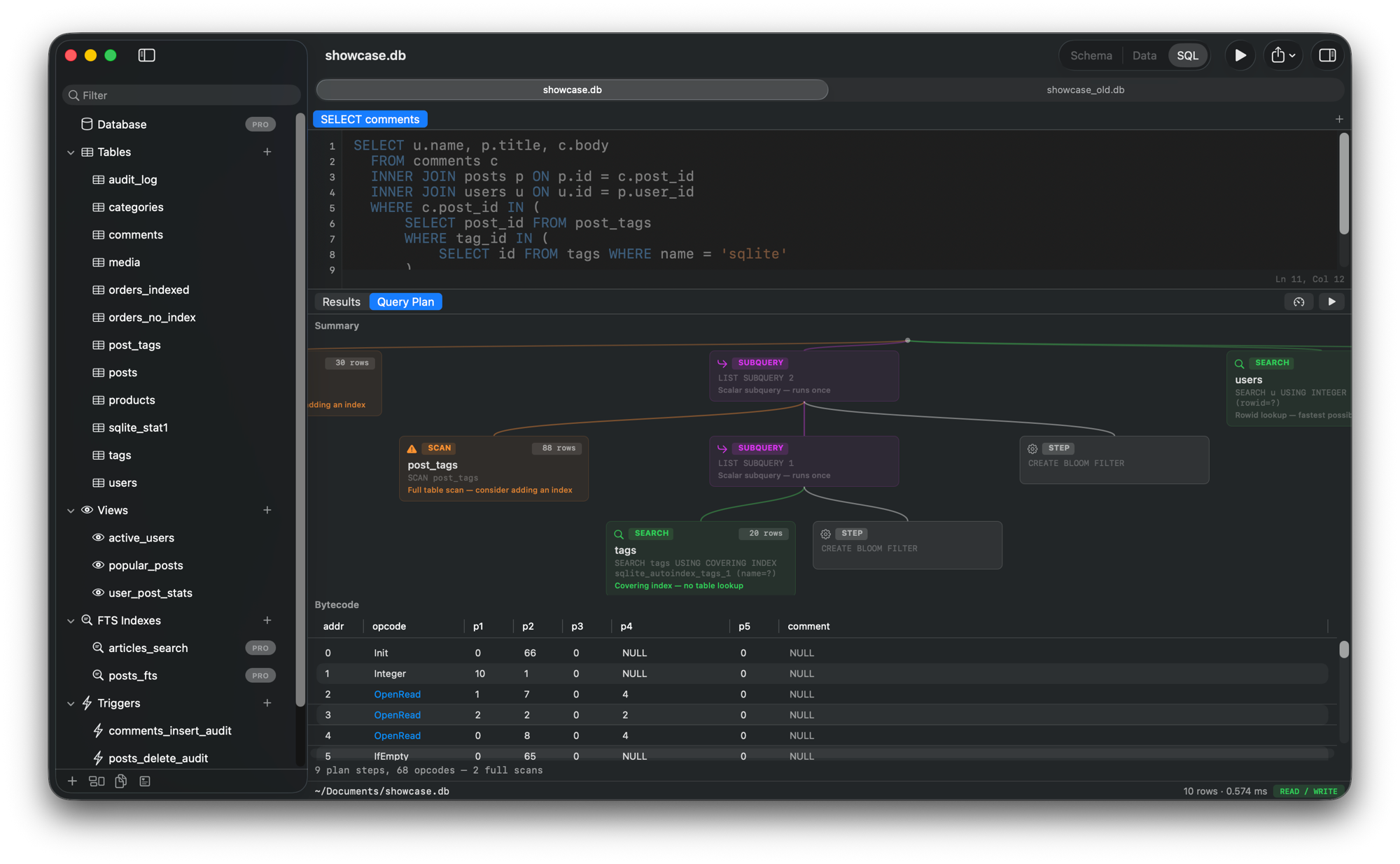
Know exactly how fast your queries run
Run queries N times, see min/median/p95/max timing. Heat-map overlays on query plan cards highlight where time is spent. Compare before and after adding an index.
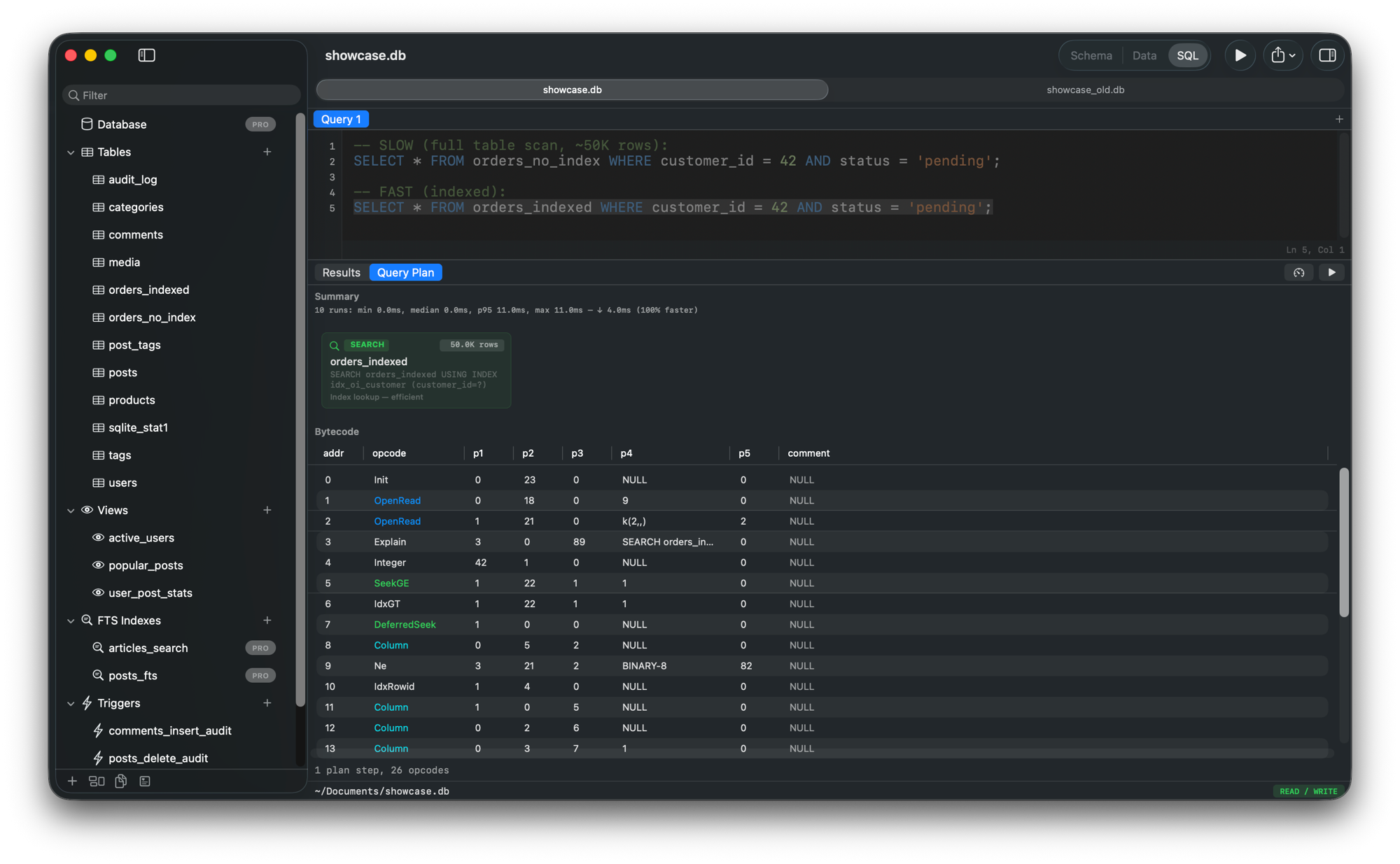
Compare databases and generate migrations
Diff two SQLite databases side by side. See missing tables, changed columns, new indexes. Generate the migration SQL to bring one in sync with the other.
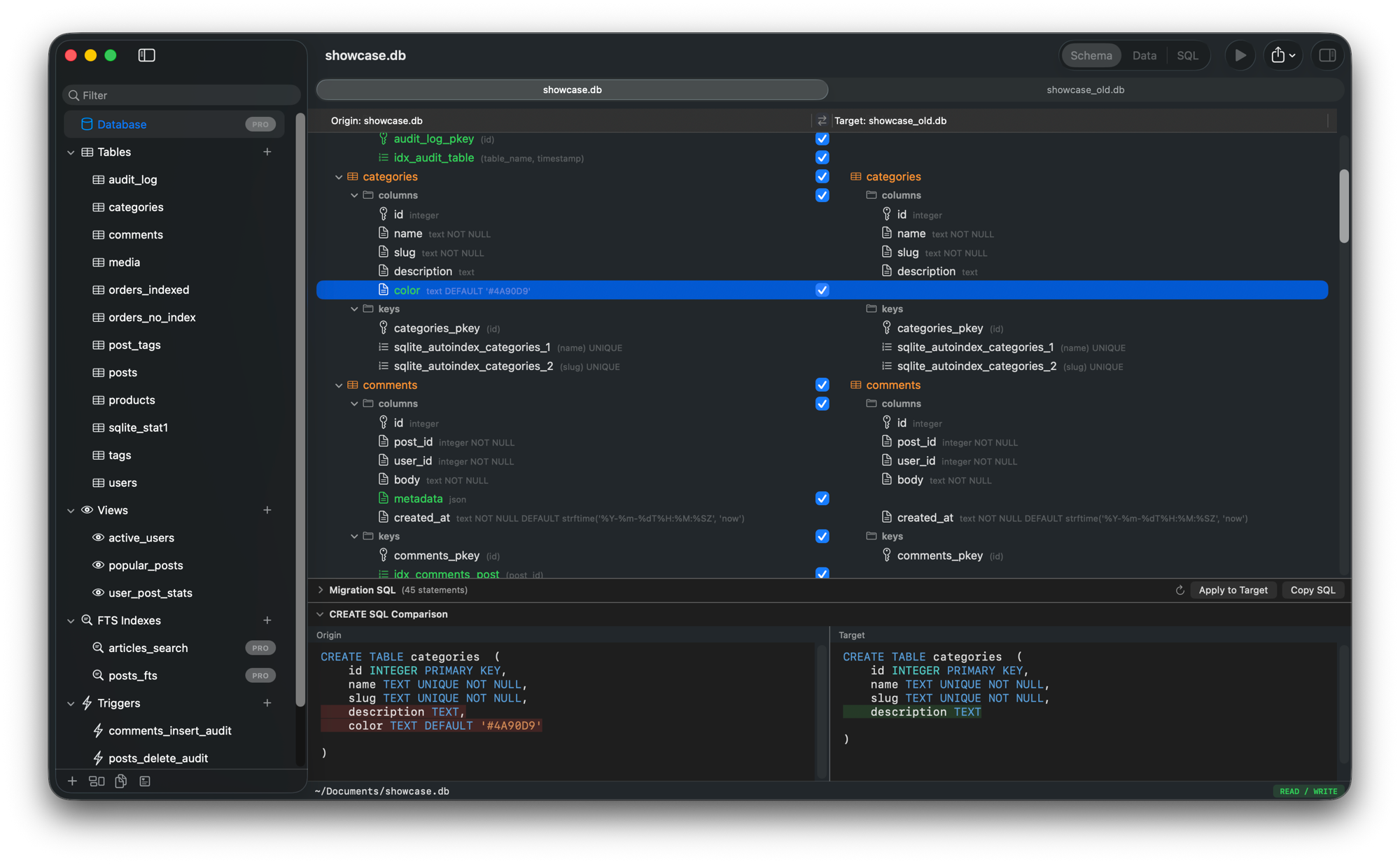
See your schema as a relationship diagram
Auto-generated ER diagrams with crow's foot notation. Foreign keys visualized as connections. Show or hide tables, zoom and pan to explore.
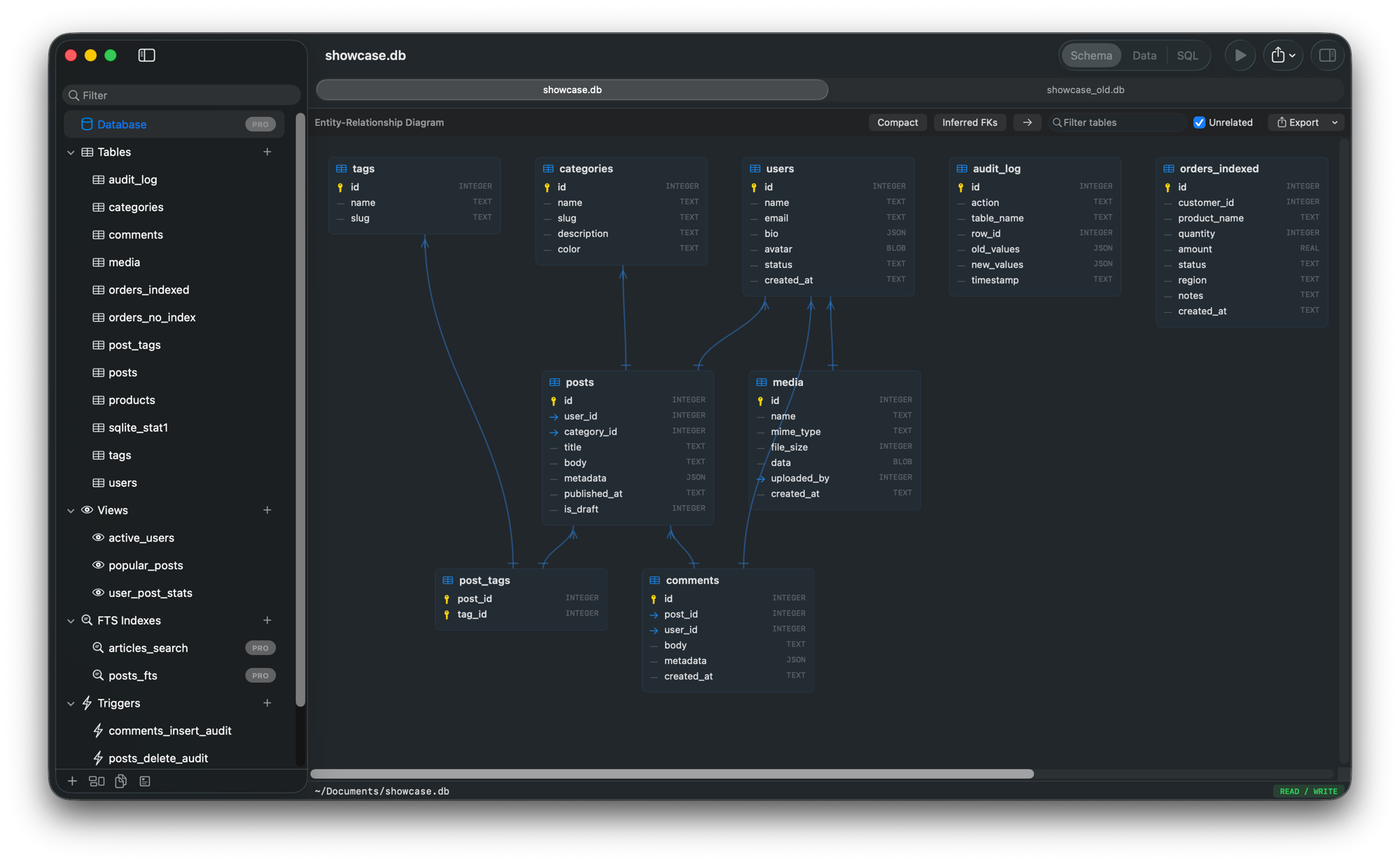
Full audit trail of every query
See every SQL statement executed with timing, row counts, and full detail. Filter by source, click to inspect. Know exactly what happened and when.
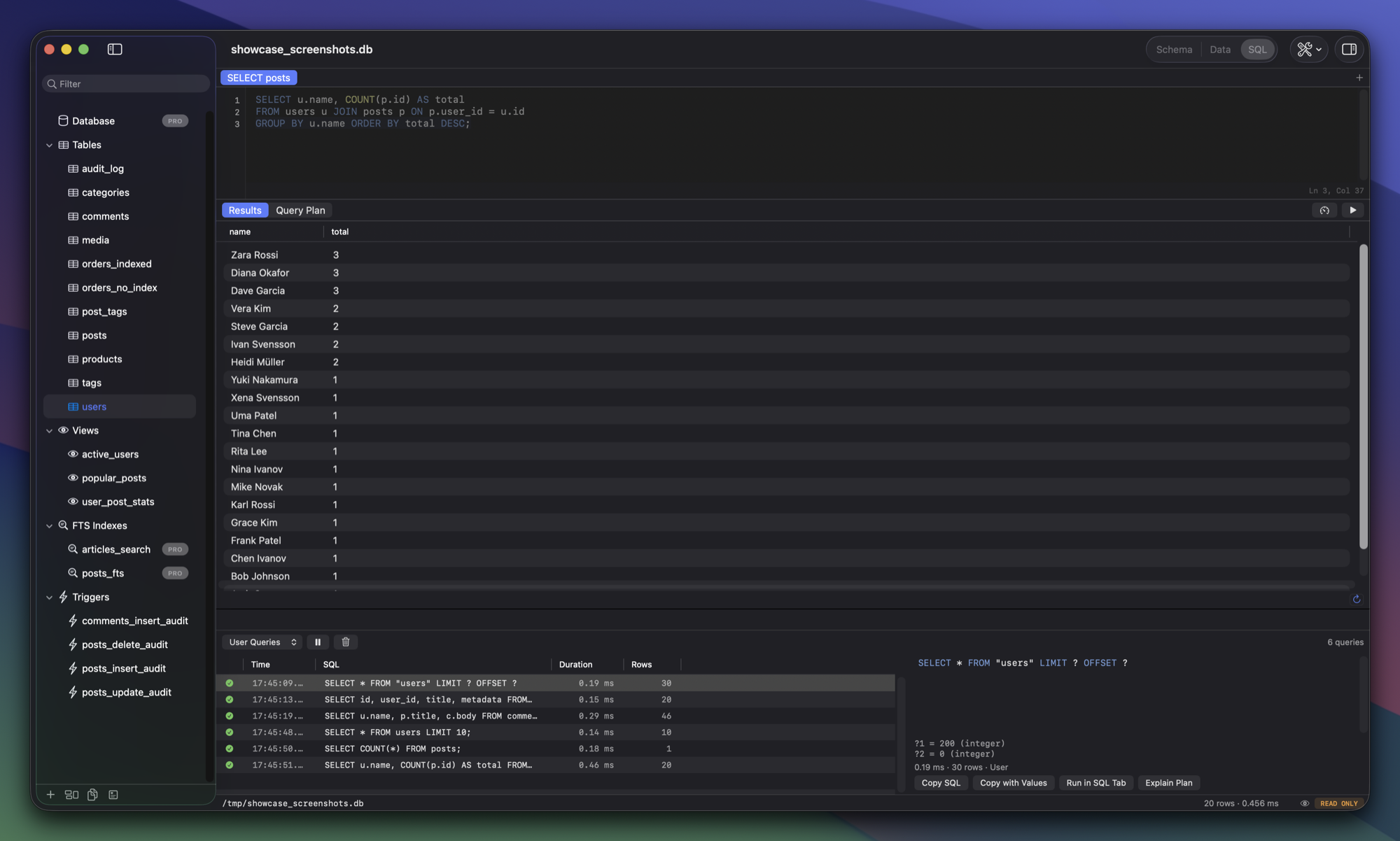
Find anything instantly
Cmd+P opens a command palette with fuzzy search across tables, views, snippets, history, and 30+ actions. Navigate your database without touching the mouse.
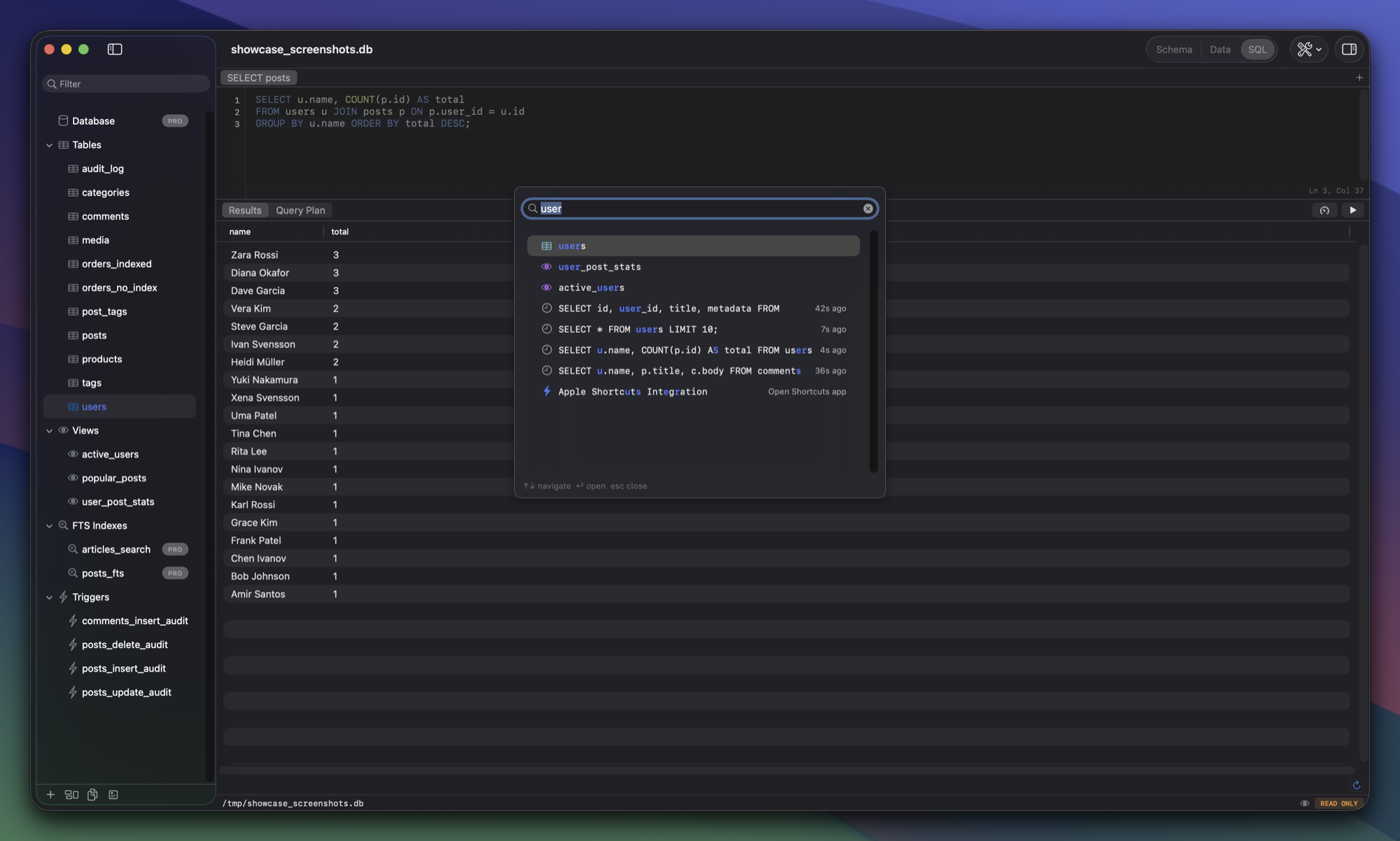
Browse databases from iOS Simulator
Auto-discovers SQLite databases in running simulators. One click to open your app's CoreData or SwiftData store. No more digging through ~/Library.
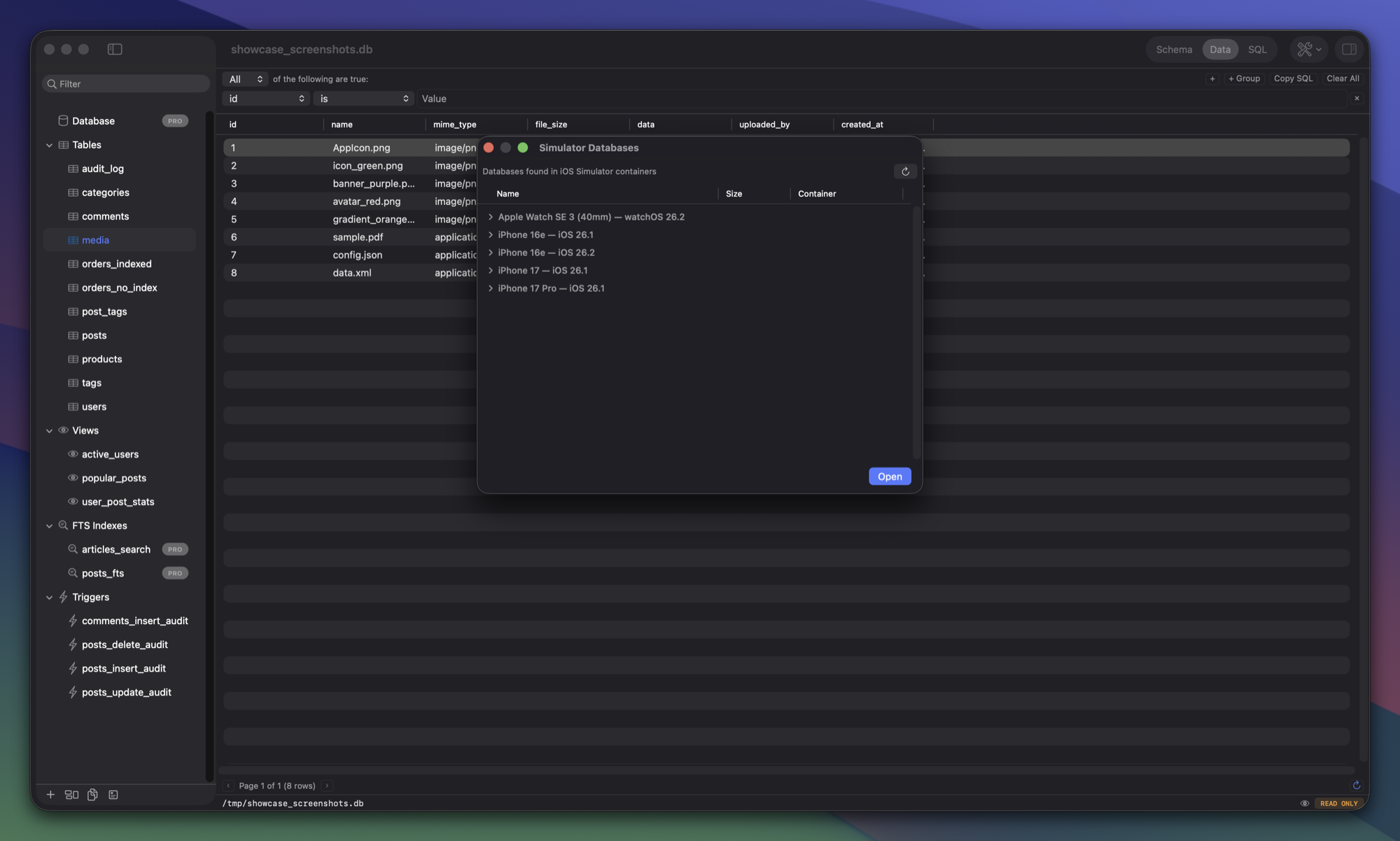
Preview images, PDFs, and binary data
BLOB columns rendered as visual previews — images, PDFs, archives, even nested SQLite databases. Export or replace binary data directly.
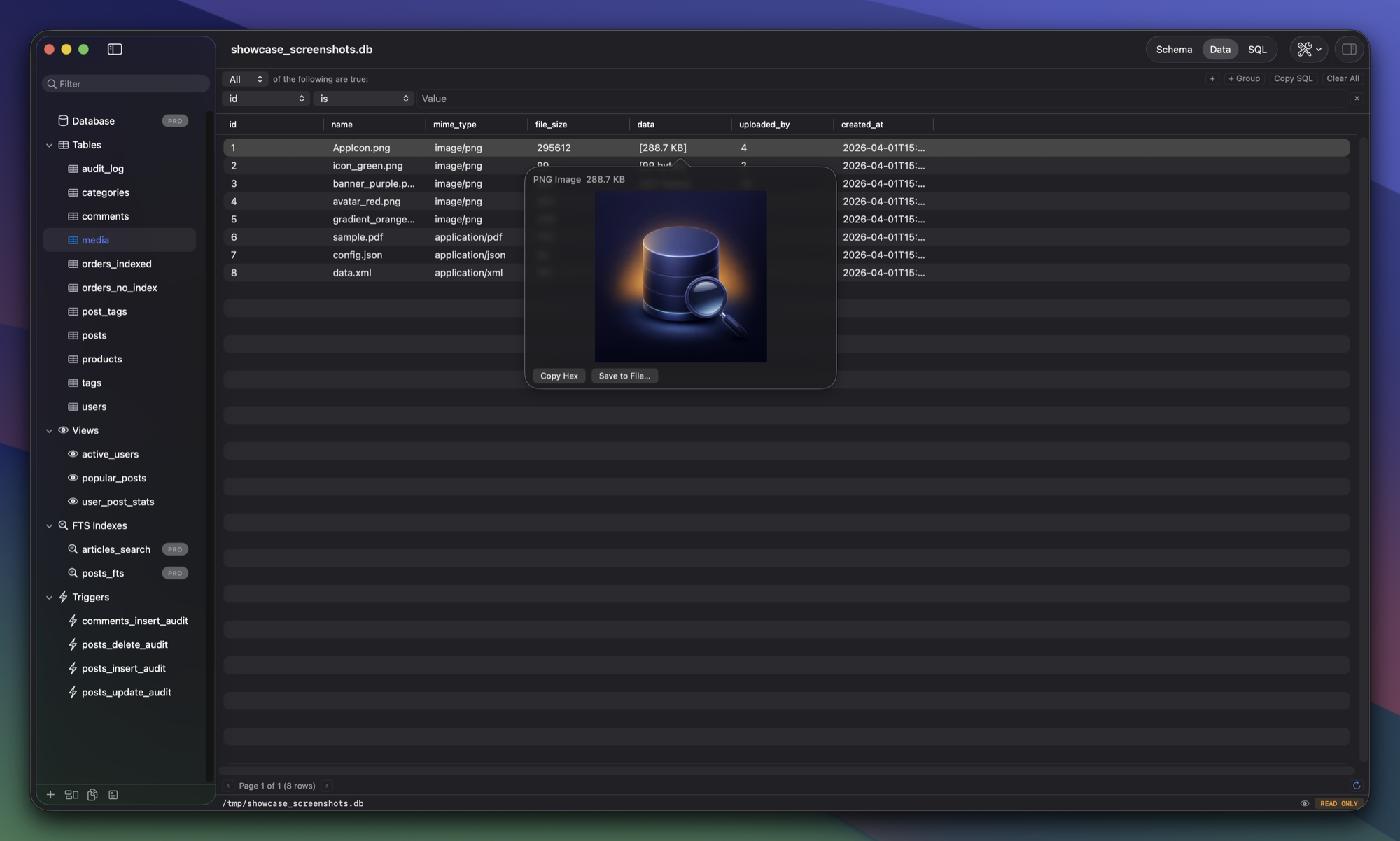
Connect to remote databases
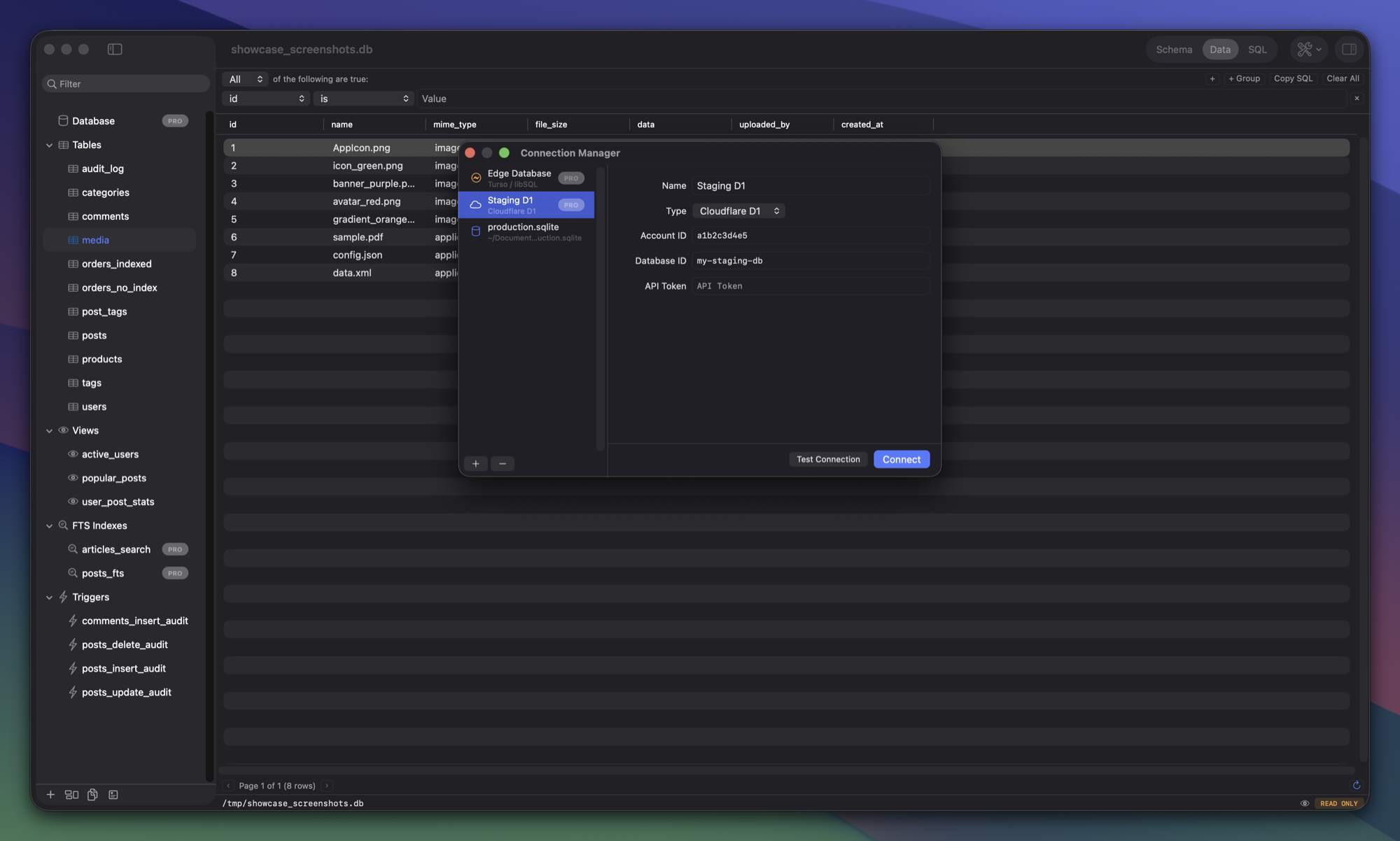
Query Cloudflare D1 and Turso databases directly. Save connections as favorites. Same full-featured UI for local and remote databases.
Everything you expect, and more
Schema Browser
Tables, views, indexes, triggers — all in a navigable tree.
Query Editor
Syntax highlighting, autocomplete, and Tree-sitter parsing.
Data Grid
Inline editing, filtering, sorting, and pagination built in.
Import & Export
CSV, JSON, SQL, and full database dumps.
Cloudflare D1
Connect to D1 databases via API. Query remotely.
Read-Only Default
Opens databases read-only. Prevents accidental writes.
Multiple Databases
Attach and query across databases in one session.
Native Performance
Swift + AppKit. No Electron. Instant startup.
Tree-sitter Parsing
Real SQL parsing, not regex. Accurate highlighting and structure.
Encrypted Databases
Open SQLCipher databases with AES-256 encryption.
Quick Open
Cmd+P command palette. Fuzzy-search tables, views, and actions.
Query Snippets
Save, tag, and reuse your most frequent queries.
Schema Editor
Create and alter tables, indexes, and triggers visually.
Multi-tab Editor
Multiple SQL tabs with independent results per tab.
CLI Tool
Open databases from your terminal with one command.
FK Navigation
Click foreign key values to jump to the referenced row.
CoreData & SwiftData
Auto-decodes Z_-prefixed tables to original entity names.
Live Auto-Refresh
Detects external database changes and refreshes automatically.
Spotlight Search
Open databases appear in macOS Spotlight results.
Parameterized Queries
Bind ? placeholders with a type-aware input dialog.
Apple Shortcuts
Open databases and run queries from Shortcuts app.
How QueryLight compares as of March 2026
| Feature | QueryLight | DB Browser | Base | TablePlus | DataGrip |
|---|---|---|---|---|---|
| Native macOS | ✓ | ✕ | ✓ | ✓ | ✕ |
| SQLite-focused | ✓ | ✓ | ✓ | ✕ | ✕ |
| PRAGMA inspector | ✓ | ✓ | ✕ | ✕ | ✕ |
| FTS5 management | ✓ | ✕ | ✕ | ✕ | ✕ |
| JSON tree viewer | ✓ | ✕ | ✕ | ✓ | ✓ |
| Visual query plans | ✓ | ✕ | ✕ | ✕ | ✓ |
| Health dashboard | ✓ | ✕ | ✕ | ✕ | ✕ |
| Autocomplete | ✓ | ✓ | ✓ | ✓ | ✓ |
| Inline editing | ✓ | ✓ | ✓ | ✓ | ✓ |
| Cloudflare D1 | ✓ | ✕ | ✕ | ✕ | ✓* |
| Performance profiler | ✓ | ✕ | ✕ | ✕ | ✕ |
| Schema diff | ✓ | ✕ | ✕ | ✕ | ✓ |
| ER diagram | ✓ | ✕ | ✕ | ✕ | ✓ |
| Encrypted databases | ✓ | ✓ | ✕ | ✓ | ✓ |
| Price | $39.99 $27 | Free | ~$25 | $99/yr | Free* |
DB Browser for SQLite is a great free tool. QueryLight is for developers who want deeper SQLite-specific features and a native Mac experience. *DataGrip free for non-commercial use. D1 support via third-party JDBC driver.
QueryLight
One-time purchase. Yours forever.
$27 for the 27th birthday — launch price until May 9, 2027
- All v1 features
- PRAGMA inspector & Health Dashboard
- FTS5 management
- JSON tree viewer
- Visual query plans & profiler
- Schema diff & ER diagrams
- Encrypted databases & Cloudflare D1
- Free v1 updates forever
- No subscription. No tracking.
Supporter
One-time purchase. Free major upgrades forever.
- Everything in QueryLight
- Pro features in every future major version
- Support an indie developer
- No subscription. No tracking.
Have feedback?
Found a bug or have a suggestion? Let us know.